
RailsFTW is suitable for the following situations:
gem install
or
bundle install
to finish
RailsFTW » Start Command Prompt with Ruby"rails new" command e.g.:
C:\Users\user> rails new testapp
To create a new app using MySQL instead of SQLite, use "-d mysql" e.g.:
C:\Users\user> rails new testapp -d mysql
You can also skip the initial bundle install (if the training site doesn't have good internet) via "-B" e.g.:
C:\Users\user> rails new testapp -B
rails server)You must install NodeJS to fix the ExecJS error due to the latest version of coffee-script-source.
Versions prior to v0.19 might encounter an SSL problem with RubyGems. Update your RubyGems with this guide to solve the problem.
Installing to a path with directories with spaces or non-ASCII characters in their names (e.g. C:\Users\John Doe\RailsFTW\) may cause unexpected problems.
This installer doesn't include the RubyInstaller DevKit so it will not be able to install gems that require compilation of native extensions. Head over to the RubyInstaller site and download and install the appropriate DevKit if you need to teach more advanced lessons.
| RailsFTW | RailsInstaller | |
|---|---|---|
| Ruby version | 2.2.4 | 2.2.4 |
| Rails version | 4.2.6 | 4.2.6 |
| File Size | ~15MB | ~104MB |
| DB Adapter Gems | sqlite3, mysql2 | sqlite3, pg, tiny_tds (MS SQL Server) |
| Additional Features | - | git, DevKit |
| Internet Connection Required? | No (Bundler will fail to connect to server but new apps will still work) | Yes |
Free book on Rails 3.0 written by yours truly.
(Given away because the current version of Rails is 4.0)
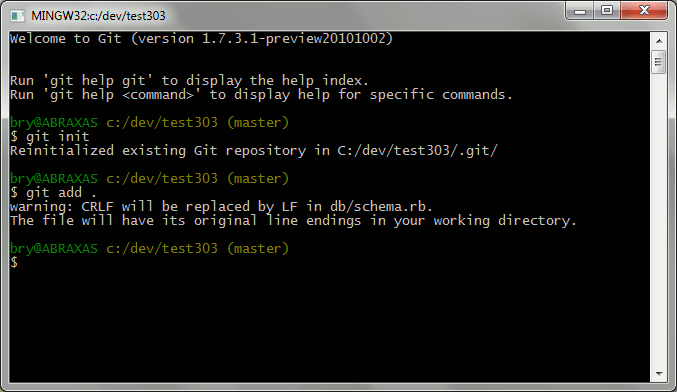
No brainer here. Git is the standard version control system for Rails apps. Whether you need to deploy something to Heroku or just need to add version control to your project, msysgit (aka Git for Windows) will do the job quite well.
For those who are used to TortoiseSVN, you might want to look at TortoiseGit.
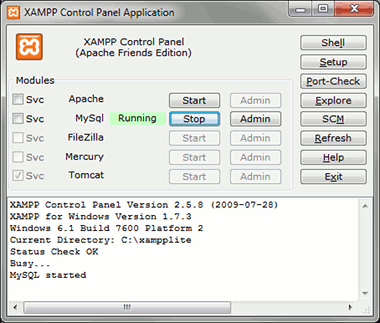
If you want to try using MySQL instead of SQLite in your Rails apps, XAMPP is probably the most convenient way to do so. Both its portability and the bundled PHPMyAdmin for database administration makes using MySQL relatively hassle-free.
Since you're only using XAMPP for the DB, getting the portable version will save you bandwidth and disk space.
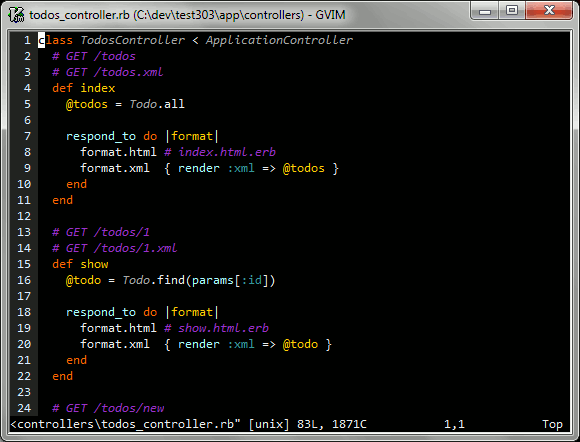
Definitely not preferred in a classroom setting. You're better off letting the newbies use Sublime Text considering that Notepad++'s support for Rails is pretty disappointing.
But if you're one of those Rails developers who doesn't use TextMate but instead uses vim or emacs (e.g. me) you know how lucky you are when faced with a task that requires you to move between OSs: you know your editor skills still translate well in those other platforms.
Yes, the learning curve for those editors are pretty high, but it's never too late to learn them. There are a lot of good articles out there that talk about using vim for Rails and it's just a matter of trying them out. Here's a recent article on moving from TextMate to vim while here's a relatively old one which talks about using vim with Rails on Windows.
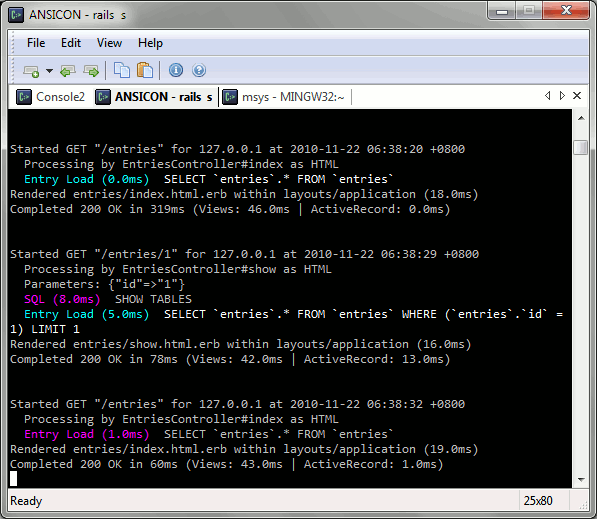
PowerShell has compatibility problems with Ruby so we're stuck with the boring cmd.exe. Console makes Windows CLI a little more interesting by adding some useful features like multiple tabs, shell management (i.e. you could use cmd.exe, ANSICON, msysgit bash, and even Cygwin side by side), and appearance customization.
You should verify the checksums of the installers after downloading them to make sure that you have the correct files. The FCIV utility allows you to calculate for MD5 and SHA-1 hashes under windows.
rails-ftw-v0.23-2.2.4-4.2.6.exe MD5 Checksum: 41ced2da76653f70eb0d03a987d4824e
rails-ftw-v0.22-2.1.8-4.2.6.exe MD5 Checksum: 644bd9bd00cb81f378afc9486a89d199
rails-ftw-v0.18-2.1.5-4.1.8.exe MD5 Checksum: 8178944bcc0210fbb424a4f6531e402b
rails-ftw-v0.14-2.0.0-4.0.5.exe MD5 Checksum: 745f135909861fa5ff4778dda6ea9278
rails-ftw-v0.11-1.9.3-3.2.8.exe MD5 Checksum: 0b4d37bcfc810135e24190ea879ee1a6
rails-ftw-v0.9-1.8.7-3.0.10.exe MD5 Checksum: 9148e859d1c473a5b26be0af0e0b3adc
Copyright ©2010 - 2016 Bryan Bibat